Printers
As many printers as you need.
You decide where each ticket comes out. One printer, two, or more — you set it up.
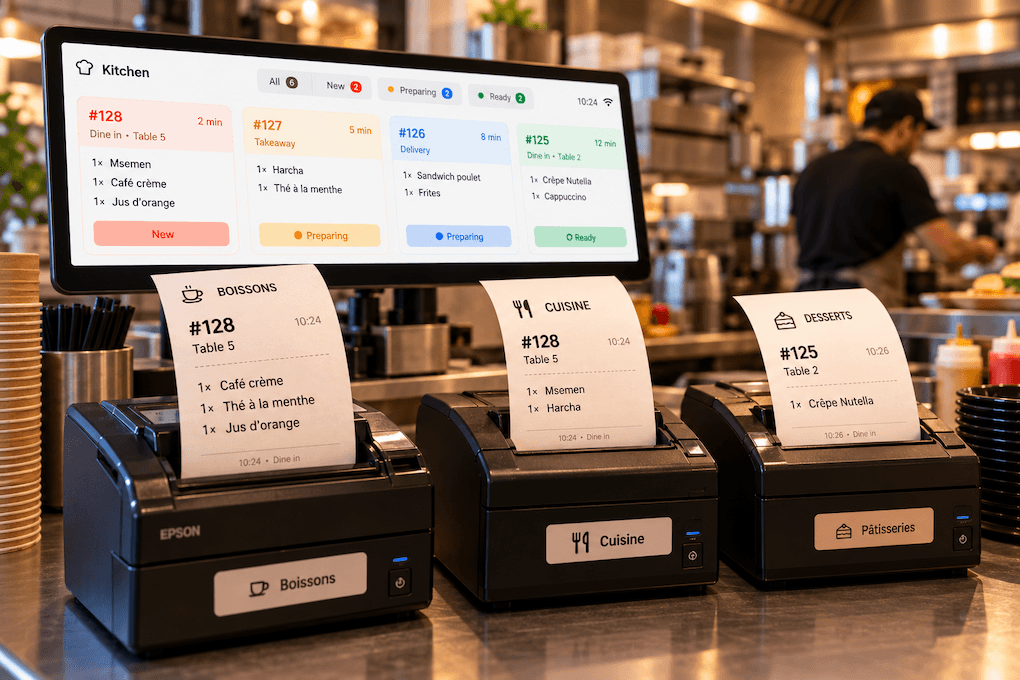
Not everything has to print in the same place.
If one printer handles everything, kitchen, bar and counter fight over the same paper.
Print the way you work.
Orderlane sends each ticket to the printer you choose. Kitchen, receipt, bar: plug in the ones you need.
What you can do
Multiple printers
Add as many printers as your room needs.
You choose where it prints
Kitchen, receipt, bar — each ticket goes where you decide.
Fits how you work
A small café with one printer, a restaurant with several: same product.
Till, QR and kiosk
Wherever the order started, it prints by your rules.
One order, your printers
01
The order goes out
Till, QR, kiosk or takeaway.
02
You have set where it prints
Kitchen, receipt, bar — according to your setup.
03
Tickets come out where they should
Each station reads what concerns it.