POS
Every order on one screen.
Whether it comes from a table QR, a kiosk, pickup or the counter — it lands on the same screen.
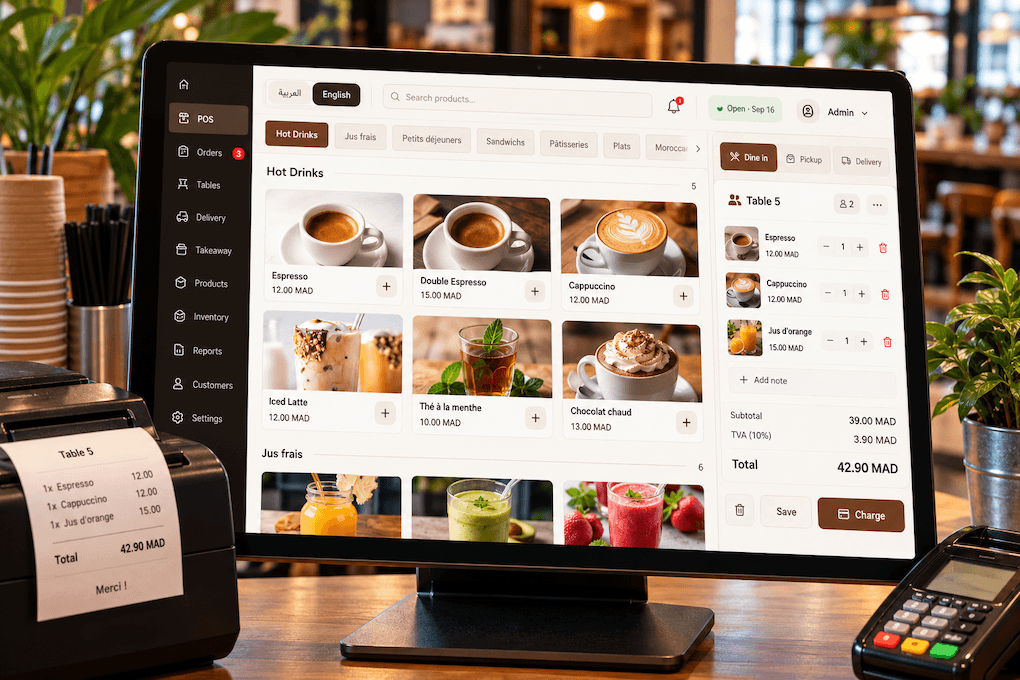
Staff should not jump between screens.
If each way of ordering has its own screen, the team switches, one order goes through, and another waits.
One screen for every order.
The Orderlane till brings in orders from the table, the kiosk, pickup and the counter. You also take counter orders from this same screen. New ones appear on their own, live.
What you can do
Every way to order
Table QR, kiosk, pickup, counter — one screen.
Take a counter order
Create an order without leaving the screen.
Live
A new order shows up on its own, with no refresh.
One open list
Staff see everything that is open, in the same place.
Everything on the same screen
01
An order comes in
From a table, kiosk, pickup, or created at the till.
02
It appears on the screen
Live, in the same view.
03
You handle it here
Take, create, follow — without changing screens.