Reports
See more than the till.
Know how the day went — what sold, where orders came from, and how each shop performed.
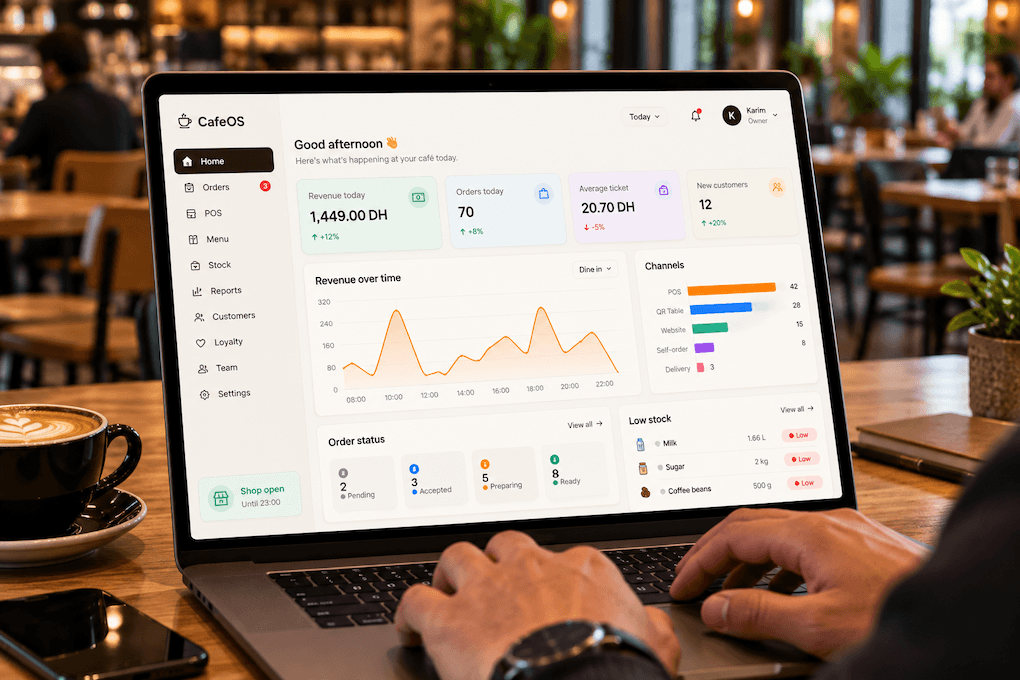
The till does not tell you the whole story.
If the only number you have is the cash at closing, you cannot see what sold, which shop did well, or where orders actually came from.
One view of the day, and of the week.
Orderlane shows sales, popular products, and how customers ordered — for one shop or several.
What you can do
Sales
See revenue for the day, the week, or a shop.
Popular products
Know what to prep and what to promote.
How customers ordered
Counter, table, kiosk, pickup — see the mix.
Several shops
Compare locations without three different exports.
Service happens. The numbers follow.
01
Orders come in
From the till, the table, the kiosk or pickup.
02
The day is recorded
Sales and products update as you work.
03
You read the day
See what sold, and how the shop did.