At the table
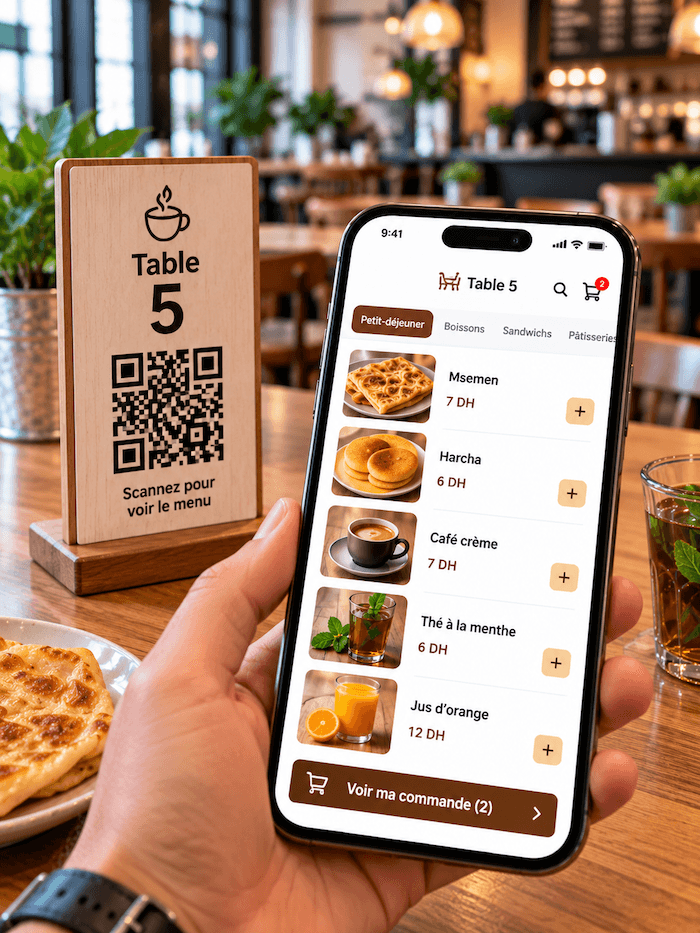
Guests order from their phone, at the table.
They scan. They order. The kitchen gets the ticket. You spend time at the table, not writing down every line.
The team cannot take every order.
On a full terrace, waiting for someone with a notepad slows service. Guests already have a phone. The kitchen still needs a clear ticket.
Each QR code is linked to a table.
Guests browse your menu and send the order. It arrives in Orderlane like any other ticket — the table is already attached.
What you can do
The table is recognised automatically
The QR belongs to that table. Guests do not type a number.
Your menu on their phone
Products, options and prices — no app to install.
The same kitchen as the till
A QR order is not a separate stream. It follows the same path.
Staff stay with the tables
You bring water, answer questions, and step in when someone needs you.
From the table to the kitchen
01
Scan
The guest opens the menu from the table card.
02
Order
They choose items and send. The table is already attached.
03
Prepare
Bar and kitchen receive what they need to cook.